For years, the six-digit code that arrives by text has been the extra step that keeps your accounts safe when a password gets stolen. It’s familiar, it’s simple, and it’s about to disappear.
Microsoft has announced that it is retiring text-message (SMS) and phone-call sign-in codes for Microsoft 365 and Microsoft Entra ID, replacing them with a newer, stronger method called a passkey. It’s a genuine security improvement — but it comes with real dates on the calendar, and if those dates catch your business unprepared, some of your staff could find themselves locked out of their own accounts.
Here’s what’s changing, why it’s happening, and the simple steps to make sure the switch is a non-event for your team.
What’s Actually Changing
Most businesses using Microsoft 365 protect their accounts with two steps: a password, and then a second check to prove it’s really you. For a long time, that second check has often been a code texted to your phone or read to you over a call.
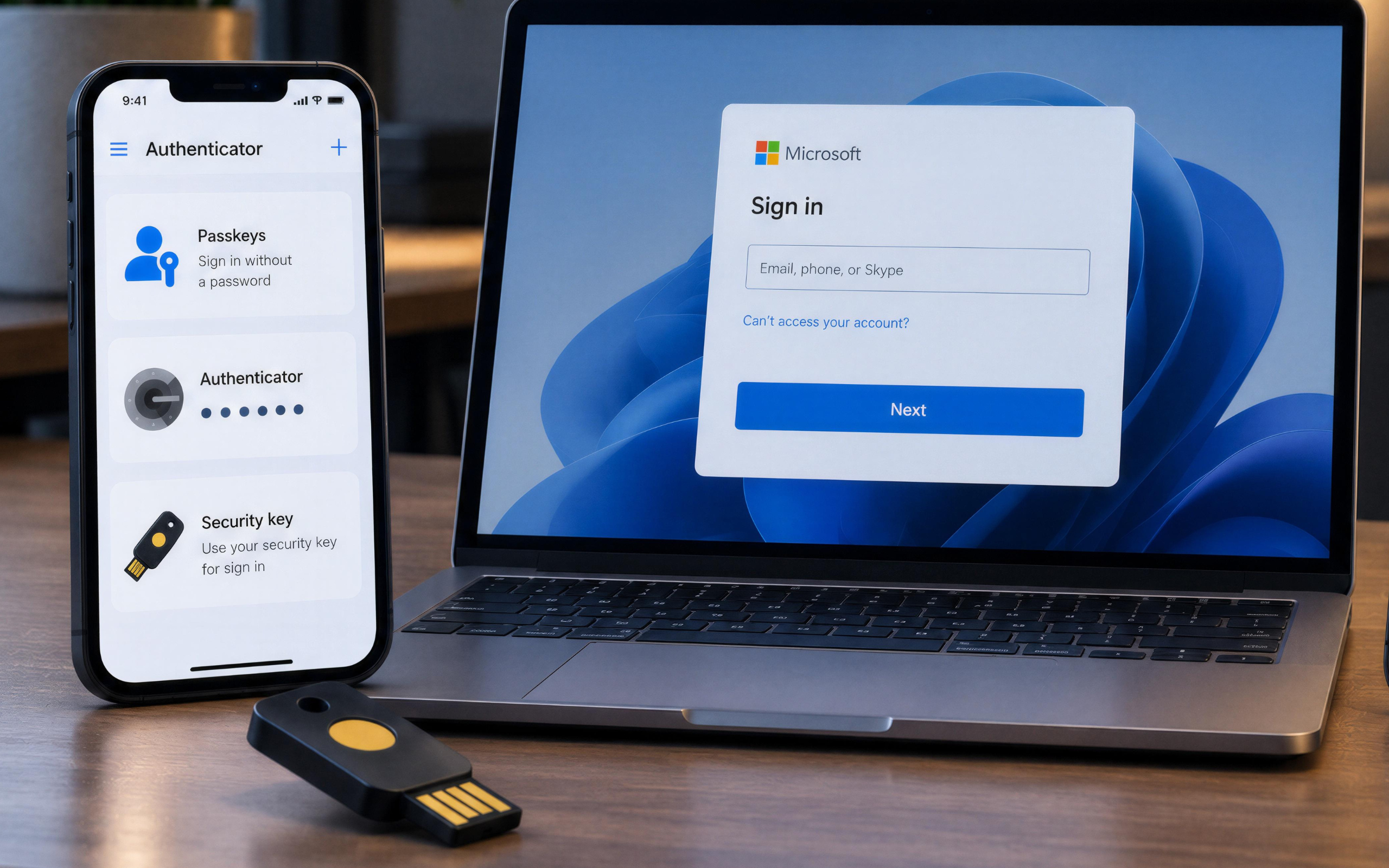
Microsoft is phasing that texted-code option out. In its place, the default second step becomes a passkey — a way of confirming your identity with your fingerprint, your face, or a tap on your own device, with no code to type and nothing to read aloud.
Importantly, your password isn’t going away. This change affects only that second step — the part where a text used to arrive. If your team already approves sign-ins through an app like Microsoft Authenticator, you’re most of the way there already.
(One technical note for completeness: Microsoft is retiring its own delivery of these codes. A business with a genuine need to keep text or voice codes can still do so by setting up a third-party telecom provider — but for most small and mid-sized organizations, moving to passkeys is simpler, cheaper, and more secure than maintaining that workaround.)
Why Microsoft Is Moving Away From Text Codes
The texted code was always the weakest of the common security steps — it was simply the most convenient, so businesses tolerated it. The problem is that a text message isn’t really tied to you; it’s tied to your phone number, and your phone number lives with your mobile carrier.
That creates two openings attackers have learned to use.
The first is called a SIM swap. A scammer contacts your mobile carrier, convincingly impersonates you, and has your phone number moved to a device they control. From that moment, every security code meant for you arrives on their phone instead. Nothing looks wrong on your end — the codes just quietly stop being yours.
The second is even simpler. An attacker who already has your password triggers a login, then messages you something like “Security check — please reply with the code you just received.” Because it looks like a routine system message, people reply. The code was never designed to survive someone being asked for it politely.
A passkey closes both of these doors at once. Because it’s tied to your actual device and your fingerprint or face — not a phone number, and not a code that can be read out — there’s nothing for an attacker to reroute and nothing to trick out of you. That’s the core reason Microsoft is making the change: the tools attackers use to intercept codes and impersonate people have become cheap and fast to run, and a code sent over text can no longer keep up.
What Is a Passkey, in Plain Terms?
A passkey is a modern replacement for the password-plus-code routine. Instead of remembering something and then typing a code, you prove who you are the same way you already unlock your phone: a fingerprint, a face scan, or a device PIN.
Behind the scenes, a passkey is a secure key stored safely on your own device. It never gets typed, emailed, or texted, which means there’s nothing for an attacker to steal, guess, or phish. It also can’t be used on a fake login page, because it only works with the real website or app it was created for.
For most people, the day-to-day experience is simpler than what they do now — sign in, confirm with a fingerprint or face, done. No app to open, no code to hunt for in your messages.
The Two Dates That Matter
There are two key dates for any business using Microsoft 365:
September 1, 2026 — Anyone still set up to receive text or phone-call codes will start being prompted to set up a passkey the next time they sign in. Nothing breaks at this stage; it’s a nudge, and it’s easy to tap past.
February 1, 2027 — The text and phone-call option is fully retired. After this date, anyone whose only sign-in method was a texted code will be required to set up a passkey before they can get into their account. There is no opt-out.
That second date is the one to plan around. It’s easy to picture the scenario: an employee who kept tapping “later” on the prompt for months, now stuck at a login screen first thing on a Monday, locked out of their email and files until they set up a method they’ve never used. It is entirely avoidable — which is exactly what makes it frustrating when it happens.
Does This Affect My Business?
Possibly less than you’d fear — and it’s worth knowing before anyone worries.
If your team already signs in by approving a prompt in an app like Microsoft Authenticator, they’re already using a stronger method than text codes and will barely notice this change.
The people this genuinely affects are those still receiving their sign-in codes by text message or phone call. In most organizations, that isn’t everyone — it’s usually a small group of people who were set up that way years ago and were simply never moved to a newer method. In our experience, those few accounts are easy to overlook precisely because everything has been working fine — right up until the deadline makes them a problem. They’re the group that matters here, because they’re the ones February 1 is pointed at.
The hard part isn’t the technology. It’s simply knowing who on your team still relies on the old method, and moving them before the clock runs out.
How to Prepare (Without the Last-Minute Scramble)
Handled early, this change is quiet and painless. A sensible plan looks like this:
Find out who’s affected. Identify which of your users still have text-message or phone-call codes as their sign-in method. This is the single most important step, because everything else depends on it.
Set up passkeys ahead of the deadline. Enable passkeys for your organization and help affected staff register one while there’s no pressure and no risk of a lockout.
Tell your team what’s changing. A short heads-up — what’s happening, when, and the one small action they need to take — prevents confusion and support calls later.
Keep a backup method where it makes sense. For some roles or situations, it’s worth planning a secondary sign-in option so no one is ever left without a way in.
Do these before September 1, and your team moves over on its own schedule instead of hitting a prompt they didn’t expect. Do them before February 1, and nobody ever meets the lockout screen at all.
The Bottom Line
The text-message login served its purpose for years, and it’s being replaced by something meaningfully safer. The only real risk in this change isn’t the new technology — it’s being caught unprepared on the day the old method switches off.
At Circle Twice, this is exactly the kind of change we handle for the businesses we support: finding the few people still on the old method, moving them to secure passkey sign-in on a comfortable timeline, and making sure no one on your team is standing at a locked door when the deadline arrives. It’s a small, manageable project when it’s done early — and a stressful scramble when it’s left to the last week.
If you’re not sure where your team stands, that’s the useful question to answer now, while there’s plenty of time.
Contact us, and we’ll review how your business signs in to Microsoft 365 and make sure you’re ready well ahead of the deadline.